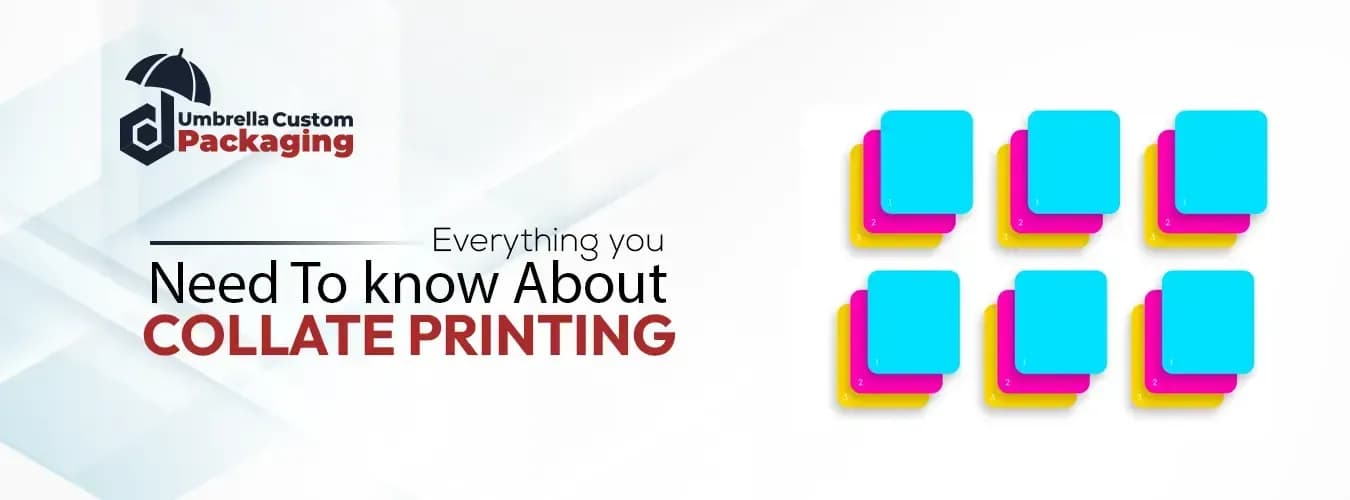
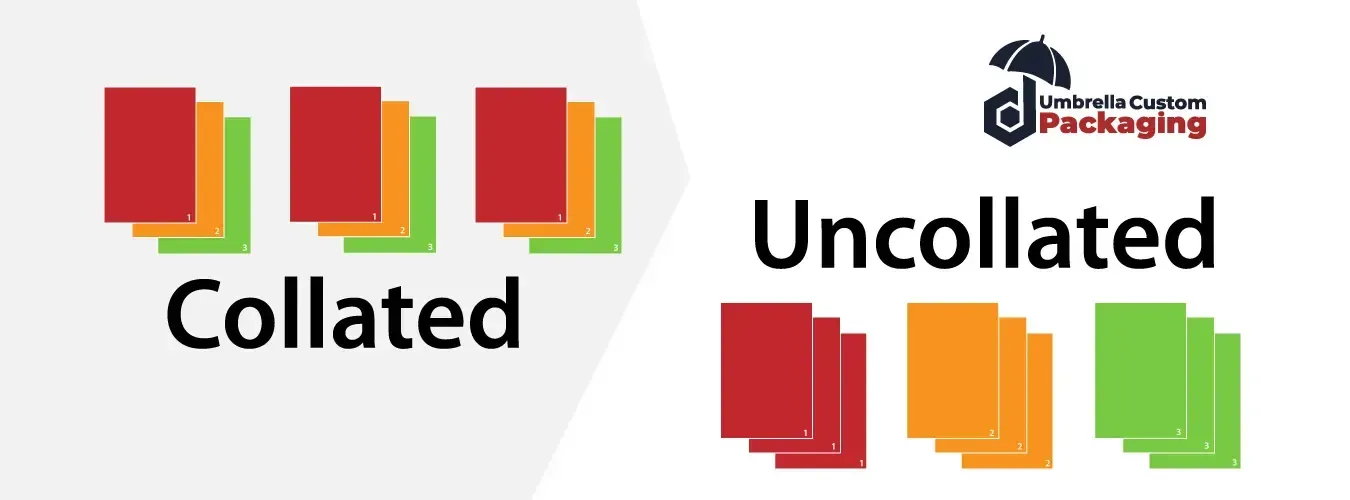
Collate simply means the printer automatically sorts your pages into complete sets for you. When you print multiple copies of a multi-page document with collate turned on, the printer prints one full copy (like pages 1 through 5 in order), then prints the next full copy, and so on.
Without collate the printer would print all copies of page 1 first, then all copies of page 2, forcing you to manually sort and assemble each set yourself.
Collate simply means the printer arranges your pages into complete sets for you. For instance, if you need three copies of a five-page report and you select collate the printer will print one full set of pages 1 through 5, then another full set, and then a third full set.
This way, you get perfect stacks you can use right away. On the other hand, if you do not select collate the printer will print three copies of page 1 first, then three copies of page 2, and continue like that until the end, so you will have to gather and arrange the pages into the correct order yourself.
You need to print 3 copies of a 3-page document (Page 1, Page 2, Page 3).
The printer creates each copy as a finished set:
Set 1: Page 1 → Page 2 → Page 3
Set 2: Page 1 → Page 2 → Page 3
Set 3: Page 1 → Page 2 → Page 3
Result: You get 3 complete stacks you can use immediately.
The printer groups all identical pages together:
All Page 1’s: Page 1 → Page 1 → Page 1
All Page 2’s: Page 2 → Page 2 → Page 2
All Page 3’s: Page 3 → Page 3 → Page 3
Result: You have to manually sort and assemble each set yourself.
Collate printing simply means arranging and printing multiple items together as one complete set. In the packaging industry, this process groups individual products into a single bundle with printed wrapping.
First, collate printing helps make variety packs. For example, it wraps 24 beer cans together in one printed plastic cover. As a result, this saves money and cuts down on waste.
Additionally, companies print nice pictures and logos on the wrap. Consequently, products look good on store shelves ,and this helps brands get noticed.
Furthermore, collate printing handles big orders fast and without mistakes. For instance, when a store chain needs different packs for each location, machines sort everything correctly without slowing down.
Finally, these machines print, pack, and get orders ready to ship all in one go. Therefore, this cuts down on manual work and makes sure the right products reach the right places every time.
Here is the difference between collated and uncollated printing.
Collate Printing | Uncollated Printing |
The printer prints each complete set one after another. | The printer prints all copies of each page together. |
You get finished stacks right away. | You get piles of the same page and must assemble them yourself. |
This method saves you time because you do not have to sort anything. | This method saves the printer time, but you have to do the extra work of sorting. |
It is best for handouts, reports, or booklets. | It is best for things like flyers or forms where you keep pages separate. |
Companies use collated printing for reports. For example, when they get ready to share quarterly reports with board members, collation gives each person a complete set with pages in the right order. This saves time during meetings and makes everything look neat and professional.
Companies also use collated printing for employee handbooks. When they print fifty copies of a twenty-page manual, collation creates fifty booklets that are ready to use. So new workers get complete guides with no pages missing.
Teachers use collated printing for tests and course packs. This way, each student gets a full set of papers at once and does not have to wait for someone to sort the pages.
Weddings and conferences use collated printing for their programs. Guests then get booklets that go in order from cover to cover without needing to put them together themselves.
Businesses make catalogs and small magazines using collated printing. The printer takes care of the entire page sorting, so the finished booklets come out ready to hand out.
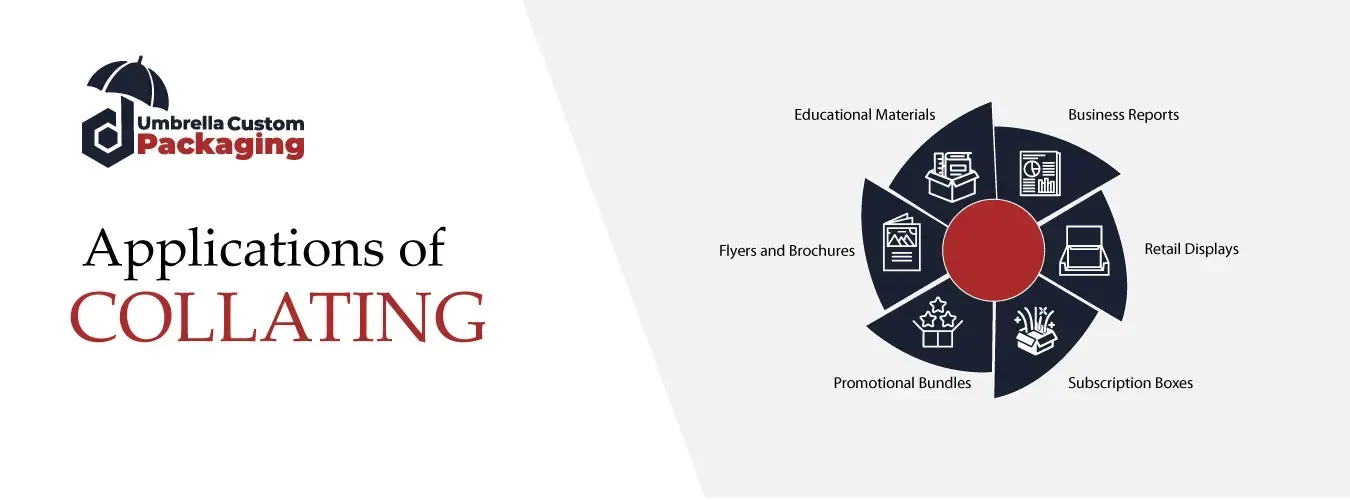
Variety Packs
Collate printing works great for variety packs. For instance, snack companies bundle different chip flavors together in one printed bag. Similarly, beverage companies combine various drinks into single multi-pack wraps.
Promotional Bundles
Businesses use collation for special offers. A coffee brand might bundle different roasts together with printed sleeves. This encourages customers to try more products.
Sample Packs
Cosmetic and food companies use collation for sample packs. They group multiple small products together with printed information. Therefore, customers can test several items at once.
Subscription Boxes
Monthly subscription services rely heavily on collation. They assemble unique product combinations for each subscriber. Additionally, they print custom packaging and ship complete sets without manual sorting.
Retail Displays
Stores receive pre-collated product bundles ready for shelves. This means employees simply open boxes and place multi-packs directly on display without extra work.
Our Expertise in Collated Printing
At our company, we use collated printing every day. We manufacture all kinds of custom products, including packaging boxes, brochures, cups, banners, displays, stickers, and labels. Collation helps us assemble multi-page brochures in the correct order so they arrive ready for your customers.
Similarly, when we create user manuals for product boxes, collation guarantees each package contains the right pages. Additionally, for promotional bundles like custom cups with printed sleeves or banner sets, collated printing ensures every piece matches perfectly.
Our clients receive professional, organized products without any sorting hassle. In short, collation helps us deliver accuracy and quality in everything we make.
Final Thought
In short, collate printing makes it easy to put multi-page papers in good order. Whether you print school projects, books, or product boxes, collation keeps everything neat and ready to use. Using this option saves time, reduces mistakes, and gives you tidy results with every print job. So next time you print many copies, just let the printer do the sorting for you, it is the smart choice.
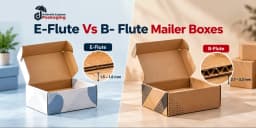
When you order custom mailer boxes , you probably think about the box size, color, logo, and design first. However, there is another important detail that can affect your packaging: the flute type. Two popular choices are E-flute and B-flute corrugated cardboard. Both work well for mailer packaging, but they offer different benefits. So, which one should you choose? The answer depends on your product's weight, shipping needs, presentation, and budget. E-flute mailer boxes are usually thinner and offer a smoother surface for detailed printing. Meanwhile, B-flute mailer boxes have a thicker structure that can provide more cushioning and support for certain products. What Is Flute in Corrugated Mailer Boxes? A flute is the wavy paper layer between the flat liner sheets of corrugated cardboard. This layer creates the structure that helps a box resist pressure, absorb some impacts, and maintain its shape. Different flute types have different heights and numbers of waves. Therefore, they can affect the thickness, bending resistance, cushioning, and printing performance of a box. The flute is an important part of corrugated packaging, but it is not the only factor that determines strength. Paper grade, liner quality, board construction, box size, and overall design also matter. What Are E-Flute Mailer Boxes? E-flute mailer boxes use a relatively thin corrugated board with many small waves packed closely together. The board is typically around 1.1 to 1.8 mm thick, although the exact measurement depends on the manufacturer and paper combination. Because E-flute has a finer structure, it can provide a relatively smooth surface for printing. As a result, it is a popular option for retail-ready mailers and branded e-commerce packaging. E-flute boxes also offer a neat, compact appearance. They can work particularly well when businesses want a box that feels sturdy without looking unnecessarily bulky. E-flute is often suitable for smaller or lighter products that need attractive presentation. Common applications include: Cosmetic products and skincare kits Jewelry and fashion accessories Small electronics and accessories Promotional gift sets Apparel and lightweight subscription products Retail-ready branded packaging What Are B-Flute Mailer Boxes? B-flute mailer boxes use corrugated cardboard with larger waves and a thicker profile than E-flute. B-flute board is commonly around 2.5 to 3.2 mm thick, although specifications vary between suppliers. Its structure can provide useful cushioning and puncture resistance for certain packaging applications. Therefore, businesses often consider B-flute when products need additional support during handling, storage, or shipping. However, B-flute does not automatically make every box stronger than E-flute. The paper grades, board quality, and box design can change the results. B-flute is commonly considered for packaging that needs a more substantial structure. It can suit: Candle jars and home accessories Larger gift sets Subscription boxes with several products Electronics and packaged accessories Household products E-commerce products that need extra structural support E-Flute vs B-Flute Mailer Boxes: Key Differences Although both materials belong to the corrugated cardboard family, they have different physical characteristics. Feature E-Flute Mailer Boxes B-Flute Mailer Boxes Thickness 1.1–1.8 mm 2.5–3.2 mm Flute Structure Small, closely spaced waves Wider waves Cushioning Moderate More cushioning Box Profile Slimmer and more compact Thicker and more substantial Surface for printing Smoother surface, good for detailed printing. Good printing, depending on liners. Best For Presentation and Compact packaging Added structure and support Which Flute Offers Better Protection? Protection is usually the first concern when businesses compare E-flute and B-flute packaging. B-flute has a taller corrugated structure, which can provide more cushioning against certain impacts. This makes it a useful option when products need additional support. On the other hand, E-flute can still provide suitable protection for many smaller products. Its closely spaced flutes help create a compact structure, and a properly designed E-flute box may perform well during normal handling. However, product protection does not depend on flute type alone. A poorly sized B-flute box can allow a fragile item to move around, while a properly designed E-flute box with a fitted insert may keep the same product more secure. Which Flute Is Better for Custom Printing? If branding is your main priority, E-flute may offer an advantage. Its finer flute structure generally creates a smoother printing surface, which can help with detailed artwork, smaller text, and colorful graphics. For this reason, businesses often use E-flute for custom printed mailer boxes that need an attractive retail appearance. B-flute also supports custom printing. You can add logos, product information, brand colors, and artwork to B-flute boxes. However, the surface may show more flute-related variation, especially with direct printing. If you want detailed graphics on B-flute, suitable liner materials or a litho-laminated printed surface can improve the final appearance. Does Flute Thickness Affect Mailer Box Size? Yes. The thickness of corrugated board affects the box's overall dimensions and how the panels fold. Because E-flute is thinner, it can help create a slimmer box structure. This may be useful when packaging small products or designing compact retail mailers. Meanwhile, B-flute uses thicker material, which can slightly increase the external dimensions of a box made to the same internal size. This difference matters when you need precise product fit or want to manage shipping dimensions. However, flute thickness alone does not determine shipping charges. Carriers generally consider the finished parcel's dimensions, weight, and applicable pricing rules. E-Flute vs B-Flute Mailer Boxes for E-Commerce Online businesses need packaging that looks professional and handles delivery. For smaller items such as cosmetics, jewelry, accessories, or lightweight gift sets, E-flute can provide a useful balance between presentation and structure. Meanwhile, B-flute may suit larger products or packages that need more cushioning and structural support. For example, imagine two online stores. One sells small beauty products, while the other sells home décor items. The beauty brand may prefer a slim E-flute mailer with attractive printing. The home decor business may choose B-flute packaging with additional protective inserts. Neither option is automatically better for every shipment. The right choice depends on the actual product and shipping environment. How Does Flute Type Affect Packaging Cost? When comparing E-flute and B-flute mailer boxes, many businesses assume that thinner material always costs less. However, pricing is not that simple. The cost depends on several factors, including the board grade, paper quality, box dimensions, printing method, order quantity, inserts, and finishing requirements. E-flute may use less board thickness, but detailed printing or special finishes can increase its price. Likewise, B-flute may require more material in some designs, but its cost can still be competitive depending on production requirements. Therefore, request quotes using the same internal dimensions, quantity, artwork, and delivery requirements. This gives you a more useful comparison. How to Choose Between E-Flute and B-Flute Mailer Boxes The easiest way to choose the right flute is to focus on your actual packaging needs. 1. Consider Product Weight 2. Check Product Fragility 3. Decide How Important Printing Is 4. Review Your Shipping Method 5. Compare Samples Before Ordering For products that need reliable shipping protection, consider appropriate compression, drop, or distribution testing. Does E-Flute Help Lower Shipping Expenses? Yes, E-flute mailer boxes can help reduce shipping expenses in some cases. Since E-flute cardboard is thinner than B-flute, it can create a more compact package and may use less material. As a result, businesses may save on packaging weight and shipping costs, especially when sending lightweight products such as cosmetics, jewelry, and small accessories. However, lower shipping costs are not guaranteed. Shipping companies in the USA, such as UPS and FedEx, may calculate charges using both package weight and dimensions. Therefore, choosing the right box size is just as important as selecting the flute type. If your products do not need thicker packaging, E-flute can be a practical and cost-effective choice without adding unnecessary bulk. Why Choose Umbrella Custom Packaging for Custom Mailer Boxes? At Umbrella Custom Packaging , we understand that every business has different packaging needs. Whether you sell cosmetics, candles, apparel, accessories, or subscription products, we can help you explore custom mailer boxes that match your product size, branding, and shipping requirements. Our customization options include box dimensions, printing, materials, inserts, and other design details. We also help businesses compare packaging choices such as E-flute and B-flute corrugated board. Instead of choosing a material only because it looks attractive or feels thick, you can consider the product's weight, presentation, and delivery needs. Our goal is to help you create custom printed mailer boxes that combine practical structure with professional branding. Whether you need packaging for a new product launch or regular business orders, contact Umbrella Custom Packaging to discuss your requirements and request a custom quote. Final Thoughts The E-flute vs B-flute mailer boxes decision comes down to what your product actually needs. E-flute offers a thinner structure and generally smoother printing surface, making it attractive for retail-ready and lightweight packaging. Meanwhile, B-flute provides a thicker profile and can offer additional cushioning for certain shipping applications. However, neither flute is the perfect choice for every product. Consider product weight, fragility, printing requirements, box dimensions, and shipping conditions before making a decision.
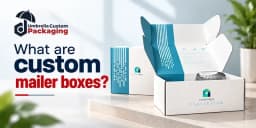
A package does more than carry a product from a business to a customer. It also protects the order and creates the first impression when it arrives. That is why many online stores use custom mailer boxes for everyday deliveries, subscription kits, and promotional packages. These boxes combine a folding structure with space for custom artwork. They are available in different sizes and corrugated materials, so businesses can choose a design that suits what they sell. This guide explains what custom mailer boxes are, how they work, their common styles and sizes, and what to consider before ordering them. What Are Custom Mailer Boxes? Custom mailer boxes are folding packaging boxes, usually made from corrugated cardboard, designed to hold and ship products. Unlike many standard shipping cartons, they often have an attached lid and tabs that fold into place. Their size, shape, printing, and internal features can be customized for a product or brand. Mailer boxes commonly arrive flat. A business folds the panels, locks the tabs, places the product inside, and closes the lid. The outside can carry a logo or design, while the inside can include a message or product arrangement. They are used for clothing, beauty products, books, gift sets, and subscription orders. Their appeal comes from combining practical shipping protection with an attractive presentation. Types of Custom Mailer Boxes Roll End Tuck Front (RETF) Mailer Boxes These boxes have rolled side walls and a front flap that tucks inside. They are popular for online retail orders because they assemble neatly and provide a clean opening experience. Roll End Lock Front (RELF) Mailer Boxes A lock front design uses tabs or slots to hold the front panel in place. It can offer a firmer closure, although shipping security still depends on the exact construction. Tab Lock Mailer Boxes Tab lock styles use folding tabs to secure the lid. They work well for small products and brands that want a tidy package without a complicated assembly process. Custom Die-Cut Mailer Boxes A die-cut design can be shaped for unusual products, special openings, or fitted inserts. It is useful when standard box proportions do not match the item. Benefits of Custom Mailer Boxes for Businesses 1. Better Product Protection Corrugated walls help protect against minor bumps, pressure, and scratches. A close fit and appropriate inserts reduce movement. 2. Improve Brand Recognition Printed logos, brand colors, and artwork help customers recognize the business before opening the package. 3. Create a Better Unboxing Experience An organized layout, inside message, or tissue wrap can make a delivery feel more thoughtful. 4. Help Reduce Packaging Waste A right-sized box can reduce unused space and the need for filler. Many clean corrugated boxes are recyclable where local programs accept them. 5. Save Storage Space Mailer boxes commonly arrive flat, allowing businesses to stack them until needed. 6. Make Packing Easier Built-in tabs and attached lids can simplify assembly. Actual packing speed depends on the box design. 7. Support Different Product Sizes Custom dimensions can fit small accessories, clothing sets, and many other products. 8. Help Control Shipping Costs Well-fitted, lightweight boxes may reduce unnecessary dimensional weight, although carrier rates and rules vary. Common Custom Mailer Box Sizes Mailer boxes come in many dimensions. The right size depends on the product and the amount of protection it needs. The following measurements are examples, not universal industry standards. Size (L × W × D) Typical Use 4 × 4 × 2 in Small accessories and compact gifts 6 × 4 × 2 in Jewelry sets and small retail items 10 × 8 × 4 in Subscription sets and folded apparel 8 × 6 × 3 in Skincare products and accessories 9 × 6 × 3 in Small gift kits 14 × 10 × 4 in Apparel and multi-item kits 16 × 12 × 6 in Larger products and bundles Materials Used for Custom Mailer Boxes The material affects the box’s strength, appearance, and printing results. Most mailer boxes use corrugated cardboard, which has a fluted paper layer between liner sheets. Corrugated Cardboard Corrugated board provides structure while remaining relatively lightweight. Its performance depends on the flute profile, paper grades, and overall construction. Kraft Corrugated Kraft-style mailers have a natural brown surface. They suit simple designs and brands that prefer an understated appearance. Brown kraft color does not automatically mean recycled content. White Corrugated White corrugated mailers offer a lighter printing surface, which can help colors and artwork appear clearer. They are common for beauty, gifts, and branded retail packaging. E-Flute and B-Flute E-flute is relatively thin, often around 1.5 mm, and can suit compact printed mailers. B-flute is generally thicker, often around 2.5–3 mm, and may be chosen when more cushioning or stacking performance is needed. Actual thickness varies by supplier. How to Choose the Right Custom Mailer Box for Your Products 1. Consider Your Product’s Weight 2. Choose a Suitable Box Style 3. Think About Shipping Conditions 4. Match the Design to Your Brand 5. Plan Your Packaging Budget 6. Order Samples Before Bulk Production What Are Custom Mailer Boxes Used For? Custom mailer boxes help businesses pack and deliver products safely while keeping their branding visible. Their folding design makes them suitable for many product categories. · E-Commerce Packaging · Subscription Boxes · Cosmetics and Skincare Packaging · Clothing and Fashion Accessories · Gift and Promotional Packaging · Food and Snack Packaging · Electronics and Small Accessories From retail orders to promotional kits, the best results come from matching the box size, board, and internal support to the product. Are Custom Mailer Boxes Eco-Friendly? Custom mailer boxes can be an eco-friendly packaging choice when businesses select suitable materials and avoid unnecessary waste. Most use corrugated cardboard, which is widely recyclable and may contain recycled fibers. Environmental impact also depends on coatings, printing, and disposal. Finishing Options for Custom Mailer Boxes • Matte lamination: A smooth, non-shiny surface that can help resist light scuffs. • Gloss lamination: A shiny surface that makes printed colors stand out. • Soft-touch lamination: A smooth, velvety feel for premium presentation. • Spot UV : Glossy coating on selected logos or patterns. • Gold and silver foiling: Metallic detail for names or artwork. • Embossing and debossing: Raised or pressed-in texture on selected elements. Custom Mailer Boxes vs. Regular Shipping Boxes Custom mailer boxes and regular shipping boxes both protect products during delivery, but they differ in design, structure, and purpose. Mailer boxes usually have an attached lid with folding tabs, making them easy to assemble and open. Regular shipping boxes often have separate top and bottom flaps that need packing tape to stay closed. Both options work well for shipping. Order Custom Mailer Boxes from Umbrella Custom Packaging! Looking for custom mailer boxes that fit your products and reflect your brand? Umbrella Custom Packaging offers personalized packaging solutions with custom sizes, printing, materials, and finishing options. Whether you need mailer boxes for an online store, a subscription service, or a promotional campaign, our team can help you explore suitable packaging options. Contact Umbrella Custom Packaging today to discuss your requirements and request a free quote. Visit us at www.umbrellapackaging.com . Request a quote now at sales@umbrellapackaging.com or call us at 747-247-0456. Wrapping it Up! Custom mailer boxes are a practical choice for businesses that want to ship products safely and present their brands professionally. Different styles, sizes, and materials make them suitable for clothing, cosmetics, subscription kits, gifts, and more. The right box depends on dimensions, weight, shipping needs, and budget. Measure carefully, select suitable corrugated board, and test a sample before ordering. Good planning helps reduce unnecessary material and creates a better experience for customers.
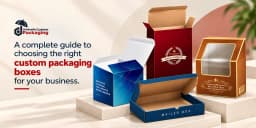
A product deserves packaging that feels like it belongs to it. When a box is too large, too weak, difficult to open, or completely different from the brand's style, even a great product can lose some of its appeal. Custom boxes solve this problem by giving businesses control over the size, material, structure, printing, and overall appearance of their packaging. Whether you sell cosmetics, food, candles, apparel, electronics, CBD products, gifts, or online subscription products, your packaging needs can be different. At Umbrella Custom Packaging , we create custom packaging around those individual requirements. Instead of adjusting your product to a ready-made box, you can build the box around your product. What Makes a Box Truly Custom? Custom packaging means much more than printing a logo on a plain box. A truly customized box starts with your product. Its dimensions, weight, shape, presentation, and selling method help determine how the packaging should be made. From there, you can decide how simple, colorful, protective, or premium you want it to look. You can personalize: Box dimensions Packaging material Box structure Inside layout Inserts and dividers Logo placement Brand colors Outside and inside printing Windows and cutouts Surface finishes Foil details Embossing and debossing This freedom makes custom packaging boxes useful for both new businesses and established brands. Why Your Product Should Decide the Box One of the easiest ways to choose packaging is to start with the actual product rather than the box. Think about what you sell. Is it fragile? Is it heavy? Does it contain glass? Will customers pick it up from a retail shelf, or will a carrier deliver it to their doorstep? Does the package contain one product or an entire set? For example, a lightweight lip balm does not need the same packaging structure as a glass candle jar. Likewise, an online subscription kit has different requirements from a cosmetic carton displayed in a store. Once you understand how the package will be used, choosing its material and style becomes much easier. Choose a Material That Matches the Job The material you choose for custom boxes affects much more than the strength of the packaging. It can change how the box feels in a customer's hands, how clearly your design prints, how easily the box folds, and how well it supports the product. Therefore, the best material is not always the thickest one. Instead, consider your product's weight, size, selling method, shipping needs, desired appearance, and budget before making a choice. Cardboard is a practical option for many lightweight retail products. It offers a smooth printing surface and works well for cosmetics, soaps, supplements, candles, small food items, and other everyday products. It can also be cut and folded into many different box styles, making it a flexible choice for custom printed boxes . Kraft is a good option when you want simple and natural-looking packaging. Its recognizable brown appearance works particularly well for handmade products, soaps, bakery items, candles, organic-style products, and brands that prefer minimal designs. You can keep the natural Kraft look or add custom printing to make the packaging more distinctive. Corrugated material provides greater structural support and is especially useful when products need to travel. Its fluted inner layer helps create a stronger box structure, making it suitable for custom mailer boxes , subscription boxes, e-commerce orders, and shipping packaging. Different flute profiles and board combinations can also be selected according to the product and shipping requirements. Rigid board is commonly chosen when presentation is a major part of the product experience. It is thicker and more substantial than regular folding cartons and usually keeps its shape rather than folding flat. For this reason, it works well for jewelry, luxury cosmetics, electronics, gift sets, and other premium products. Rigid boxes can also be combined with inserts, specialty papers, foil, embossing, and other finishing details to create a more luxurious presentation. Turn Plain Packaging into Branded Packaging Customers should be able to look at your package and connect it with your business. That does not mean covering every panel with logos and advertising. In fact, clean packaging can often create a stronger impression. Start with the important elements: your logo, brand colors, product name, and essential information. Then decide whether patterns, illustrations, photography, or other design details actually improve the presentation. Your custom boxes with logo can also carry useful information such as a website, social handle, QR code, product instructions, or a short message. The important thing is consistency. Your box should feel connected to your website, products, and overall brand identity. Find a Box Style That Makes Sense You do not need an unusual structure just to make your packaging different. The right structure is the one that makes packing, displaying, shipping, and opening your product easier. Some useful options include: Box Style Uses Tuck Boxes Cosmetics, soaps, supplements, candles, and small retail products Mailer Boxes E-commerce orders, subscription products, promotional kits, and online retail Shipping Boxes E-commerce delivery, heavy products, bulk transportation, and product distribution Window Boxes Bakery products, cosmetics, toys, gifts, and products customers may want to see before buying Sleeve Boxes Cosmetics, food products, gifts, soaps, and retail items Two Piece Boxes Apparel, chocolates, gifts, accessories, and premium products Display Boxes Counter displays, retail products, cosmetics, snacks, and promotional items Gable Boxes Food, bakery items, party favors, gifts, takeout products, and event packaging However, these are only starting points. A custom structure can also be developed when a standard style does not suit the product. Custom Boxes for Retail Products Retail packaging has to work from a customer's point of view. Can shoppers understand what the product is? Is the brand easy to recognize? Does the box fit neatly on the shelf? Is important information easy to find? These questions matter because retail packaging often has only a short time to attract attention. A custom retail box can combine clear branding with a structure that fits the product properly. Depending on the product, you can also add a window, hanging tab, insert, sleeve, or other useful feature. Give Custom Printed Boxes the Right Look Printing allows you to turn the physical box into part of your brand. You can choose simple one-color branding or detailed full-color artwork depending on your product. However, print quality depends on several factors, including the material, artwork, quantity, and printing method. More design does not always mean better packaging. For example, a natural kraft box may only need a dark logo and small product details. On the other hand, cereal, cosmetics, toys, and promotional products may benefit from more colorful graphics. Design according to the personality of the product instead of following the same style for everything. Use Inserts When Products Need Their Own Place Imagine opening a gift set and finding every item rolling around inside. Even if nothing breaks, the presentation feels unfinished. Custom inserts can solve this issue. An insert can hold a bottle upright, separate multiple cosmetics, organize a gift collection, or give a delicate item its own space. This can be particularly useful for glass products, jars, bottles, electronics, presentation sets, and multi-item packages. The insert should match the product rather than simply fill empty space. A well-planned interior can make the entire package look cleaner and more organized. Custom Boxes for E-Commerce Orders Online businesses face a different challenge because their packaging has to travel. A beautiful retail carton may still need an outer mailer or shipping box. Therefore, think about the entire journey from your packing table to the customer's doorstep. Products should not have unnecessary room to move. Fragile items may need extra support, while lighter products may only require a well-sized mailer. A better fit can also mean less empty space and less need for filler. In U.S. parcel shipping, external dimensions can matter because carriers may apply dimensional-weight pricing, so right-sizing can have a practical cost benefit as well Add Finishes Where They Matter Finishing effects can help certain parts of your design stand out. For example, foil can draw attention to a logo or name. Embossing can give an element a raised texture, while debossing presses the design into the surface. Spot UV can highlight selected areas with a contrasting finish. Options may include: Matte Lamination: Gives custom boxes a smooth, non-shiny surface with a clean and modern appearance. It also helps protect the printed surface from light scratches and handling. Gloss Lamination: Adds a shiny and reflective surface that can make printed colors appear brighter and more noticeable. It works well for colorful packaging that needs a polished look. Soft-Touch Lamination: Creates a smooth, velvety feel that makes the packaging pleasant to hold. It is commonly used for luxury boxes, cosmetics, gifts, and other premium products. Spot UV: Adds a glossy coating only to selected parts of the design, such as a logo, product name, or pattern. The contrast between glossy and matte areas can make important details stand out. Gold Foil: Adds a metallic gold effect to selected design elements. It can give logos, borders, names, or patterns a more elegant and premium appearance. Silver Foil: Creates a bright metallic silver effect on specific areas of the packaging. It works particularly well with modern, minimal, cosmetic, and luxury box designs. Holographic Foil: Produces a reflective, rainbow-like effect that changes as light moves across the surface. It can create an eye-catching look for cosmetics, fashion, gifts, and promotional packaging. Embossing: Raises selected text, logos, or patterns above the surface of the box. This adds texture and makes important branding elements easier to notice and feel. Debossing: Presses a logo, text, or design into the packaging surface instead of raising it. It creates a subtle textured effect that can work well with simple and premium designs. Die-Cut Windows: Creates a custom-shaped opening in the box so customers can see part of the product inside. Windows work well for food, cosmetics, toys, soaps, gifts, and many retail products. Packaging for Small and Growing Businesses You do not need to make packaging complicated just because you want it customized. For a growing business, start with what customers will actually notice and what the product actually needs. A properly fitted box with clean logo printing can already create a professional appearance. As the brand grows, you can explore additional features such as inside printing, inserts, foil, specialty finishes, seasonal artwork, or more premium structures. This approach can help you spend your packaging budget on features that add real value rather than paying for details you do not need. Wholesale Custom Boxes for Larger Orders Businesses that regularly use packaging may benefit from ordering wholesale custom boxes in larger quantities. Before increasing your order, however, make sure the packaging specifications are settled. Check the size, material, artwork, colors, structure, and product fit carefully. Once you are satisfied with the final design, larger production runs can provide a consistent packaging supply for regular sales, retail distribution, product launches, and seasonal demand. Keep Seasonal Packaging Flexible You do not necessarily need to develop a completely new box every time a holiday arrives. A practical option is to keep the main dimensions and structure while changing the printed design, sleeve, sticker, label, or other decorative details. For example, the same gift box structure can have different artwork for Christmas, Valentine's Day, Easter, Mother's Day, or a limited product launch. This helps brands introduce fresh packaging while maintaining a familiar structure. Different Printing Options for Custom Boxes The right printing method depends on your box material, design, order quantity, and desired appearance. Here are some common printing options for custom boxes: Printing Options How it works Best For Digital Printing Prints artwork directly onto the packaging material without traditional printing plates. It works well for detailed designs and multiple colors. Small orders, short runs, prototypes, and frequently changing designs Offset Printing Transfers ink from a printing plate to a rubber blanket and then onto the printable surface. It can produce sharp details and consistent colors. Premium packaging, detailed artwork, and medium to large orders Flexographic Printing Uses flexible printing plates to transfer ink onto packaging materials. It offers an efficient solution for repeating designs and larger quantities. Corrugated boxes, shipping boxes, kraft packaging, and bulk orders Screen Printing Pushes ink through a prepared screen onto selected areas of the packaging. It works especially well for simple and bold artwork Logos, simple graphics, specialty boxes, and limited-color designs Check Your Packaging Before a Full Order Never judge packaging only from a flat artwork file. The final box has folds, corners, closures, cuts, and multiple panels. Artwork that looks perfect on a screen may feel different once the box is assembled. A digital proof can help you review text, placement, colors, and layout. When appropriate, a physical sample can also help you check fit, structure, opening, material feel, and product presentation. Prototyping before a larger print run is a widely recommended way to catch practical issues that a flat design may not reveal. Make corrections at this stage rather than discovering a problem after the full quantity has been produced. What Should You Send When Requesting a Custom Box Quote? The more useful information you provide at the beginning, the easier it becomes to discuss your packaging accurately. You can prepare: Product dimensions Required box dimensions, if already known Product weight Preferred box style Material preference Quantity Logo and artwork Insert requirements Printing requirements Finishing preferences Shipping destination Photos of the product, when useful If you are unsure about some of these details, start with your product information. The packaging structure can then be planned around it. Why Choose Umbrella Custom Packaging? At Umbrella Custom Packaging , we make custom boxes according to the needs of your product and brand. You can choose the size, material, style, printing, inserts, and finishing details to create packaging that feels specific to what you sell. Whether you need retail boxes, mailers, shipping boxes, gift packaging , or premium rigid boxes, we can help you develop a solution that balances appearance with practical use. We also make customization easier for businesses that may not know exactly which packaging option to choose. Share your product details, preferred look, quantity, and packaging needs, and our team can help you explore suitable options. From simple custom printed boxes to detailed branded packaging, our goal is to give your products a professional presentation while keeping your brand clearly visible. Final Thoughts! Good custom boxes begin with a simple idea: make the packaging fit the product, the way it will be sold, and the brand behind it. Instead of adding unnecessary features, focus first on the correct size, suitable material, useful structure, and clear branding. Then add printing, inserts, or premium finishes where they genuinely improve the package. At Umbrella Custom Packaging , businesses can create custom packaging boxes for retail, e-commerce, gifts, shipping, and many other product categories. If you already know what you need, you can request packaging according to your specifications. If you are still deciding, start with your product dimensions, quantity, and desired style so the right custom box can be designed to meet your needs.
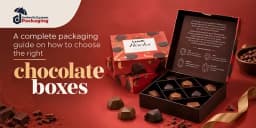
Choosing the right chocolate boxes can make a major difference in how customers see, store, and enjoy your chocolates. A good box does more than create an attractive presentation. It should protect delicate pieces, fit them correctly, support your brand, and suit the way you sell and deliver your products. For chocolate businesses in the USA, packaging also needs extra attention because materials that directly contact food can fall under FDA food-contact requirements. The FDA defines food-contact substances broadly to include packaging components, adhesives, colorants, and other substances that may contact food. Therefore, brands should confirm that materials intended for direct chocolate contact are suitable and authorized for their intended use. This detailed guide explains how to choose the right chocolate boxes , from box size and materials to inserts, styles, printing, finishes, shipping, sustainability, and branding. Why Choosing the Right Chocolate Box Matters Chocolate is a premium product, so its packaging should create the same feeling. Customers often see the box before they see the chocolates. Therefore, attractive chocolate packagingboxes can help create a strong first impression. However, appearance is only one part of the decision. The right packaging keeps chocolates arranged, reduces unnecessary movement, makes the product easier to present, and creates a better unboxing experience. In addition, branded packaging helps customers recognize your business. For online chocolate brands, protection becomes even more important. The box must handle packing, stacking, and transportation while keeping the chocolates neatly presented. Start with the Type of Chocolate First, think about what you want to pack because different chocolates need different box structures. For example, individual truffles and pralines often look better in boxes with separate cavities or inserts. Chocolate bars usually need slim rectangular packaging. On the other hand, assorted chocolate collections may require larger boxes with multiple compartments. You should consider: Chocolate bars Truffles Pralines Bonbons Chocolate-covered nuts Handmade chocolates Assorted chocolate collections Chocolate gift sets Once you know the product type, you can choose the size, insert, material, and box structure more accurately. Select the Correct Chocolate Box Size Next, measure your chocolates before choosing a box. Avoid selecting packaging simply because it looks attractive. A box that is too large leaves unnecessary empty space and allows products to move. Meanwhile, a box that is too small can create a poor fit and damage the presentation. Measure the length, width, and height of the chocolates and consider how many pieces you want in each box. Also, leave enough room for inserts, trays, wrappers, or other components. For example, you might need separate configurations for 4-piece, 6-piece, 12-piece, or 24-piece chocolate boxes . Custom sizing can help you create a better fit instead of forcing different products into one standard box. Choose the Right Material for Chocolate Boxes Material affects strength, appearance, cost, printing, and the overall feel of your packaging. Therefore, compare your options carefully. Cardboard Chocolate Boxes Cardboard works well for many everyday chocolate products. It is lightweight, printable, and easy to customize. As a result, brands can use it for retail chocolates, small gift boxes, and promotional packaging. Kraft Chocolate Boxes Kraft paperboard provides a simple and natural appearance. It works particularly well for brands that prefer earthy or minimal packaging designs. Moreover, kraft pairs nicely with simple printing, labels, and window styles. Rigid Chocolate Boxes Rigid boxes provide a more substantial, premium presentation. They work well for luxury chocolates, corporate gifts, holiday collections, and high-end assortments. Corrugated Boxes Corrugated board provides additional strength for outer shipping packaging. Therefore, online chocolate sellers can use corrugated mailers or shipping boxes around the primary chocolate package when extra protection is needed. If any packaging component will directly touch the chocolate, businesses should confirm that the material is appropriate for its intended food-contact use. FDA requirements apply according to the substance, food type, and conditions of use. Consider Food-Safe Inner Packaging A beautiful outer box does not automatically make every surface suitable for direct food contact. Therefore, determine whether the chocolate will touch the box itself or sit inside another food-contact layer. Depending on the product, you may use suitable wrappers, liners, cups, trays, or inserts between the chocolate and outer packaging. This approach can also help control grease marks and keep the presentation clean. In the United States, companies that use food-contact substances need to ensure those substances meet the applicable FDA requirements for their intended uses. Think About Protection During Shipping If you sell chocolates online, do not choose packaging only for the retail shelf. Think about the entire shipping journey. The primary chocolate box should fit securely inside its shipping package. In addition, the outer package should provide enough structural protection for normal handling and stacking. However, remember that a strong box cannot control temperature. Chocolate can soften or melt when exposed to heat. Therefore, brands that ship temperature-sensitive products should plan their fulfillment, insulation, cold packs where appropriate, delivery timing, and carrier strategy separately from the decorative box. Pick a Chocolate Box Style The box structure affects both presentation and convenience. Fortunately, chocolate brands can choose from many styles. Two-Piece Chocolate Boxes These boxes include a separate lid and base. Their classic structure works especially well for gift chocolates and premium collections. Tuck-End Boxes Tuck-end boxes provide a simple and practical option for chocolate bars and other retail products. They are also easy to print and display. Sleeve Chocolate Boxes A printed sleeve slides around an inner tray or box. Therefore, this style offers an attractive unboxing experience without an overly complicated structure. Window Chocolate Boxes A window lets customers see the chocolates before opening the package. This feature works well when the appearance of the product plays an important role in the purchase. Magnetic Closure Boxes Magnetic-style rigid boxes can create a premium opening experience and work well for luxury collections, corporate gifts, and special occasions. Drawer Chocolate Boxes A sliding tray creates a distinctive presentation and makes the box feel more like a gift. As a result, many premium brands choose this style for special collections. Match Chocolate Packaging with Your Brand Your packaging should make your chocolates easy to recognize. Start with your brand colors, logo, typography, and overall visual style. Then, apply these elements consistently across the box. For example, a luxury chocolatier may choose a dark rigid box with subtle metallic details. Meanwhile, an artisan chocolate company may prefer Kraft packaging with simple typography and natural design elements. A colorful confectionery brand might use bright graphics and playful patterns. Consistency matters because customers can start connecting the packaging style with your brand. Choose Printing That Fits Your Design Good printing turns a simple box into branded chocolate packaging. However, the best printing method depends on the material, artwork, quantity, and desired finish. You can use your packaging to display your: Logo Brand name Product name Brand colors Artwork or patterns Website Social media details Required product information Keep the front design clear instead of filling every available space. Often, a simple design with strong branding looks more premium than an overcrowded box. Use Inserts to Keep Chocolates Organized An insert can make a major difference in chocolate presentation. Instead of allowing pieces to move around, it gives each chocolate a defined position. For instance, a 12-piece assortment can use 12 separate spaces so customers immediately see an organized collection when they open the box. Depending on your product and food-contact requirements, you can consider suitable paperboard inserts, trays, dividers, or individual chocolate cups. Choose the insert according to the shape, size, quantity, and presentation of your chocolates. Add Finishes for a Premium Look Finishing options can highlight important parts of your design and create a stronger visual experience. For example, gold or silver foil stamping can highlight a logo, while embossing can add texture. Likewise, spot UV can create contrast on selected areas. Popular options include matte lamination, gloss finishes, soft-touch finishes, foil stamping, embossing, debossing, and spot UV. However, do not add every finish to one package. Instead, choose one or two details that complement your brand and chocolate price point. Think About Sustainability Carefully Brands increasingly consider material use and end-of-life options when designing packaging. You may explore paper-based structures, right-sized boxes, recycled-content materials, or designs that reduce unnecessary components. However, businesses should use environmental terms carefully. The FTC states that companies need reliable support for environmental marketing claims, and recyclable claims may require qualification depending on access to appropriate recycling facilities. Therefore, avoid vague statements such as "100% eco-friendly" unless you can properly substantiate the claim. Specific statements about materials or verified attributes usually give customers clearer information. Balance Quality with Your Budget The most expensive chocolate box does not automatically make the best choice. Instead, compare the box cost with the value of the chocolates inside. Everyday retail chocolates may only need attractive printed cardstock packaging, while premium gift chocolates can justify rigid structures and specialty finishes. Also, consider the complete packaging cost rather than only the unit price. Inserts, printing, finishing, assembly, shipping weight, and storage space can all affect your final cost. Therefore, choose features that genuinely improve protection, presentation, or branding. Choose Chocolate Boxes for Every Special Occasion Customers often buy chocolates as gifts. Therefore, the occasion can influence the packaging style. Chocolate boxes can serve: Valentine's Day: Romantic colors and elegant presentation work well for gift collections. Christmas: Seasonal patterns, festive colors, and gift-ready structures can create a holiday feel. Weddings: Personalized names, dates, ribbons, or elegant finishes can suit wedding favors. Corporate Gifts: Clean branding and premium structures can create a professional presentation. Birthdays: Bright colors and personalized designs can make the gift feel more celebratory. You can keep the same basic box structure throughout the year and change the printed artwork for seasonal collections. Order a Sample Before a Large Run A design can look perfect on a computer screen but feel very different as a physical box. Therefore, checking a sample or prototype before a large production run can help you spot problems early. Place the actual chocolates inside and check the fit, insert position, opening experience, printed artwork, and overall presentation. If you plan to ship the product, you should also evaluate the complete packed configuration under conditions relevant to your distribution process. This extra step can prevent expensive packaging mistakes later. Custom Chocolate Boxes for Your Brand Every chocolate brand has different packaging needs. Therefore, custom packaging gives you more control over size, structure, printing, presentation, and branding. At Umbrella Custom Packaging , we can create custom chocolate boxes around your product dimensions and visual requirements. Brands can explore options such as custom sizes, printed artwork, inserts, window styles, rigid structures, Kraft looks, and premium finishing options. For food products, you should also identify which components will directly contact the chocolates so the appropriate materials and construction can be selected for the intended use. Why You Should Choose Umbrella Custom Packaging At Umbrella Custom Packaging , we focus on creating chocolate boxes that protect your products and present your brand professionally. We offer custom sizes, styles, inserts, printing, and premium finishes, so you can design packaging around your chocolates instead of settling for a standard box. In addition, we support both small and large orders and help you choose packaging options that match your product, branding, and budget. From simple cardboard chocolate boxes to premium luxury chocolate boxes , we aim to make the customization process easy from design to final production. Final Thoughts! Knowing how to choose the right chocolate boxes starts with understanding your chocolates, not simply choosing the most attractive package. First, consider the product type, quantity, dimensions, and food-contact needs. Next, select a suitable material, structure, and insert. Then, think about shipping, printing, branding, sustainability claims, and your budget. When all these elements work together, your chocolate packaging boxes can protect the product, create a better presentation, and strengthen your brand.
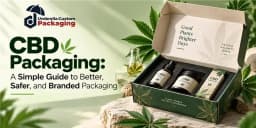
CBD products come in many forms. You may see oils, creams, balms, skincare products, and other CBD items. However, one package cannot work well for every product. A small bottle needs different protection than a jar of cream. A product sold in a store may also need different packaging from one shipped to a customer. That is where CBD packaging becomes important. Good packaging protects the product, shares useful information, and gives your brand a clear look. In addition, the right custom CBD packaging can help customers notice and remember your product. This guide explains CBD packaging in simple words. You will learn about materials, box styles, printing, safety features, branding, shipping, and how to choose packaging for your product. This guide explains CBD packaging in simple words. You will learn about materials, box styles, printing, safety features, branding, shipping, and how to choose packaging for your product. What Is CBD Packaging? CBD packaging means the containers, boxes, bags, labels, and other materials used to pack CBD products. For example, a CBD oil product may come in a bottle. That bottle can then go inside a printed folding carton. The carton provides another layer of protection and gives the brand more room for product information. CBD packaging can include: Folding cartons Rigid boxes Corrugated mailers Display boxes Mylar pouches Bottles and jars Custom inserts Labels Gift and presentation boxes Therefore, CBD packaging is not only about making a product look attractive. It should also fit, protect, and present the product correctly. A Brief History of CBD CBD, short for cannabidiol, comes from the cannabis plant. People have used cannabis plants for thousands of years for fiber, food, and traditional remedies. Modern interest in CBD grew after scientists began studying the plant’s natural compounds more closely during the 20th century. Researchers found that CBD is different from THC because it does not cause the same intoxicating “high.” In recent years, CBD has become increasingly common in wellness and retail products, including oils, creams, balms, and skincare items. In the United States, interest grew further after the 2018 Farm Bill changed federal rules around hemp, although CBD products are still regulated in complex ways depending on the product and how it is marketed. Today, CBD is widely discussed in health, wellness, and packaging industries around the world. Why Does CBD Packaging Matter? Imagine buying an expensive bottle and receiving it in a box that is too large. The bottle moves around, the carton gets crushed, and the label is hard to read. That does not create a good first impression. A well-made CBD box solves several problems at once. It can hold the product securely, give customers useful information, and help the brand look professional. Moreover, CBD is a category where brands need to think carefully about labels and marketing claims. Packaging gives businesses space to communicate required and useful information, but what must appear depends on the product and the laws that apply to it. Match the Package to the CBD Product This is one of the most important parts of CBD packaging. Do not start with a pretty box and then try to make your product fit inside it. Instead, start with the product. Measure it. Check its weight. Think about how fragile it is. Then choose the packaging. CBD Oil and Tincture Boxes Glass bottles can break during shipping. Therefore, a CBD oil box should fit the bottle closely and give it enough support. An insert can hold the bottle in place. It can also keep a dropper or other part separate when needed. For retail sales, printed cartons provide room for branding and product information. CBD Cream and Balm Boxes Creams and balms often come in jars or small containers. The outer box should fit the container without leaving too much empty space. If the jar is heavy, thicker paperboard can provide better support. Brands can also use the box to create a clean skincare or wellness look. CBD Skincare Packaging CBD skincare products may include creams, serums, lotions, and other items. Because customers often compare skincare products by appearance, neat printing and a clean box design can help. However, the package still needs to protect the bottle, tube, or jar inside. CBD Vape Packaging Vape-related products may require additional care because laws and age restrictions can differ by location and product. The package should hold the item securely and provide enough room for required information. Brands should confirm all applicable federal, state, and local rules before production. CBD Display Boxes A display box holds several retail units in one place. Stores can place these boxes on counters or shelves. As a result, customers can see the products while the brand keeps the display organized. A display box should be easy to refill and strong enough to hold the products without bending. CBD Subscription Boxes Subscription packaging may hold several products in one shipment. For example, a box may contain bottles, jars, and other items together. Custom inserts or dividers can stop these products from hitting each other. Inside printing can also make the opening experience more memorable. Do Not Ignore the Inside of the Box Brands often spend most of their time designing the outside. However, the inside matters too. A box that looks beautiful but allows a glass bottle to move freely has a design problem. Custom inserts can hold products in place. They are especially helpful for bottles, jars, gift sets, sample kits, and packs with several products. Depending on the product, inserts may use paperboard, corrugated material, molded fiber, or other suitable materials. Best Materials for CBD Packaging Material affects the strength, feel, print quality, weight, and cost of CBD packaging. So, do not choose material only because it looks good. Material Main Features Best Uses for CBD Packaging Common Options SBS Paperboard Smooth surface, lightweight, and good for detailed printing CBD bottles, jars, creams, oils, and other retail products 300 GSM, 350 GSM, 400 GSM Kraft Paper Natural brown look with a simple and earthy feel Natural-looking CBD packaging, skincare products, soaps, oils, and lightweight products Different weights and thicknesses Corrugated Board Strong structure that provides extra support and protection CBD mailers, shipping boxes, subscription boxes, and heavier products E-Flute, B-Flute, and other flute options Rigid Board Thick, strong, and gives packaging a premium feel Luxury CBD gift sets, presentation kits, premium products, and special launches Can include fitted inserts, ribbons, or magnetic closures CBD Packaging Should Be Easy to Understand A customer should not need to study the package for five minutes to understand it. Keep the front clean. Make the brand name easy to see. Clearly identify the product. Then organize the other information so customers can read it without trouble. Depending on the product and applicable rules, a CBD brand may need or choose to provide information such as ingredients, net quantity, business information, warnings, lot or batch details, directions, and other required statements. However, CBD requirements are not one-size-fits-all. Federal rules can depend on what the product is and how it is marketed, while state requirements may add further obligations. Brands should have their final packaging reviewed for the markets where the product will actually be sold. Be Careful With Health Claims This deserves special attention. Do not turn the package into a list of medical promises. For example, a brand should not claim that its CBD product can prevent, treat, or cure a disease unless the claim meets applicable legal standards and has the required support. The FTC says health-related advertising claims need proper scientific support. FDA has also taken action concerning unapproved CBD products marketed with therapeutic claims. So, before printing thousands of boxes, review the wording carefully. Use QR Codes in a Helpful Way A small box has limited space. A QR code can connect customers to additional information online. For example, brands may use one to direct buyers to testing information, product details, instructions, or another relevant page. However, a QR code should not replace information that the law requires to appear directly on the package. Make it easy to scan and test it before production. A QR code that leads to a broken page does not build trust. Make Custom CBD Packaging Look Like Your Brand Now comes the creative part. Your packaging should look like it belongs to your business. Start with your logo and brand colors. Then choose fonts, graphics, and a layout that work together. Do not add design elements just because there is empty space. Sometimes a simple box with a strong logo looks better than a package covered with text, leaves, icons, and patterns. More importantly, keep the design consistent. If your CBD oil box is dark blue and white, while your cream box looks like it came from a completely different company, customers may struggle to connect the two. A shared design system makes your product line easier to recognize. Make CBD Packaging Look Better and Protect the Product Custom printing and finishes can turn a simple CBD box into attractive branded packaging. Digital printing works well for detailed designs and smaller orders, while offset printing is useful for larger runs. Brands can also use CMYK or Pantone colors for a consistent look. Finishes such as gold or silver foil, Spot UV, embossing, debossing, matte lamination, soft-touch coating, windows, sleeves, and magnetic closures can make the box feel more premium. At the same time, the packaging should work well in stores and during shipping. Retail boxes should look clean and easy to understand on the shelf. For online orders, protection is more important because the package must travel safely. Simple and Sustainable CBD Packaging Premium CBD packaging does not need too many colors, graphics, or finishes. A clean design, quality material, clear text, and one special finish can create a luxury look. For example, a rigid CBD box with a small foil logo and fitted insert can look elegant without heavy artwork. This simple style works especially well for CBD gift sets and premium products. Simple packaging can also help reduce unnecessary material use. Choose a box that fits the product instead of using an oversized package with extra filling. Kraft, paperboard, corrugated board, and molded-fiber inserts can be practical paper-based options. Also, choose windows, laminations, foam, and other finishes carefully because mixed materials can make recycling more difficult. CBD Pouches CBD pouches provide flexible and lightweight packaging for many products. They can be made in different sizes and styles, including stand-up and flat pouches. Custom printing can add your logo, product details, colors, and other brand elements. Depending on the product, barrier materials can also help protect the contents from moisture, air, and light. CBD Zipper Bags CBD zipper bags come with a resealable closure that makes the package easy to open and close. They are useful when customers need to use the product more than once. Brands can add tear notches, hang holes, custom printing, and other features. Child-resistant zipper options may also be available when required for a particular product or market CBD Stickers CBD stickers are a simple way to add branding to boxes, pouches, jars, bottles, and other packaging. They can feature your logo, product name, promotional design, or other useful details. Stickers can be produced in custom shapes and sizes with matte, gloss, or other finishes to match your packaging style. CBD Labels CBD labels provide space for important product and brand information. Depending on the product and applicable requirements, a label may include the product name, ingredients, net quantity, directions, warnings, barcode, QR code, and batch or lot details. Custom CBD labels can be designed for bottles, jars, pouches, tubes, and other containers while keeping the information clear and easy to read. Wholesale CBD Packaging Can Lower the Cost Per Box Once a brand starts selling more products, packaging costs matter even more. Larger production runs can reduce the unit cost in many manufacturing setups. They also make it easier to keep the same colors, materials, and structure across a product line. However, ordering 10,000 boxes before testing one is risky. First, create a sample or prototype. Place the actual product inside it. Open and close the box. Check the fit. Look at the text. Scan the QR code. If the package will ship, test the complete shipping setup. Then move to the larger order. A Simple Checklist Before You Order CBD Packaging Before approving your custom CBD boxes, check these points: Measure the actual product. Choose the right box structure. Pick material based on product weight and protection needs. Check the fit of bottles, jars, or other containers. Add inserts when products can move or break. Leave enough space for required information. Review all claims and label text. Check applicable federal, state, and local requirements. Test QR codes and barcodes. Check colors and artwork. Review the physical sample. Test shipping when the product will be sold online. Approve mass production only after the final check. A few extra checks before production can save money later. Child-Resistant and Tamper-Evident Features Safety should be considered early in the design process, not after the boxes have already been printed. Some products or markets may call for child-resistant packaging. Requirements vary, so businesses should check the exact rules that apply to their product and sales location rather than assuming every CBD product follows the same requirement. Tamper-evident features are another useful option. A seal, band, label, or other feature can make it easier to notice if someone has opened or altered the package. Your packaging supplier can design around these features, but the brand remains responsible for confirming which legal standards apply. Common CBD Packaging Mistakes to Avoid Choosing looks over function: Attractive CBD packaging is important, but the box should also fit, protect, and support the product properly. Adding too much text: Avoid crowded packaging. Keep the front panel clean and make important product information easy to read. Making unsupported health claims: Do not add medical or health claims unless they are properly supported and allowed under applicable rules. Assuming CBD rules are the same everywhere: CBD packaging and marketing requirements can vary by product type and location. Always check the rules for the market where the product will be sold. Ignoring shipping needs: A beautiful retail box may still get damaged during delivery. Use suitable inserts, mailers, or protective packaging when needed. Skipping packaging samples: Always test a physical sample before a larger order. It helps you check the size, fit, printing, colors, opening style, and overall appearance. Custom CBD Packaging from Umbrella Custom Packaging At Umbrella Custom Packaging, we create custom CBD packaging for brands that need packaging built around their products. You can customize the dimensions, box style, material, artwork, printing, inserts, and finishes. Options can include SBS paperboard, Kraft, corrugated packaging, rigid presentation boxes, and custom printed Mylar bags. We can also produce packaging for CBD oils, tinctures, creams, skincare products, displays, subscription programs, mailers, and premium gift sets. For branding, you can choose options such as CMYK printing, Pantone color matching, offset printing, digital printing, foil stamping, Spot UV, embossing, debossing, and custom inserts. Whether you are preparing a small product launch or planning a larger wholesale packaging program, the goal is the same: create packaging that fits the product, protects it, and gives your brand a professional presentation. For regulatory matters, your business should confirm the requirements for the specific product and each market where it will be sold. Wrapping it Up! CBD packaging has several jobs to do at once. It should fit the product, provide suitable protection, present information clearly, and support your brand. Start with the product instead of the artwork. Measure it, choose the right material and structure, and then build your design around those needs. After that, consider printing, inserts, finishes, tamper evidence, and other useful features. Most importantly, review packaging and marketing requirements before production. CBD regulation in the United States remains complex, and rules can differ based on the product and where it is sold. When function, branding, and careful compliance review work together, custom CBD packaging can give customers a clearer and more professional experience.
We offer Packaging Boxes delivered to your door. Secure, professional, and affordable, our custom made packaging boxes are guaranteed to protect and transport your valuable items. Our devoted team is always there to serve you.













Our Secure Payment Modes
© 2026 Umbrella Packaging All rights reserved.